Hardware Version 0.1
Hardware
Hardware Version:
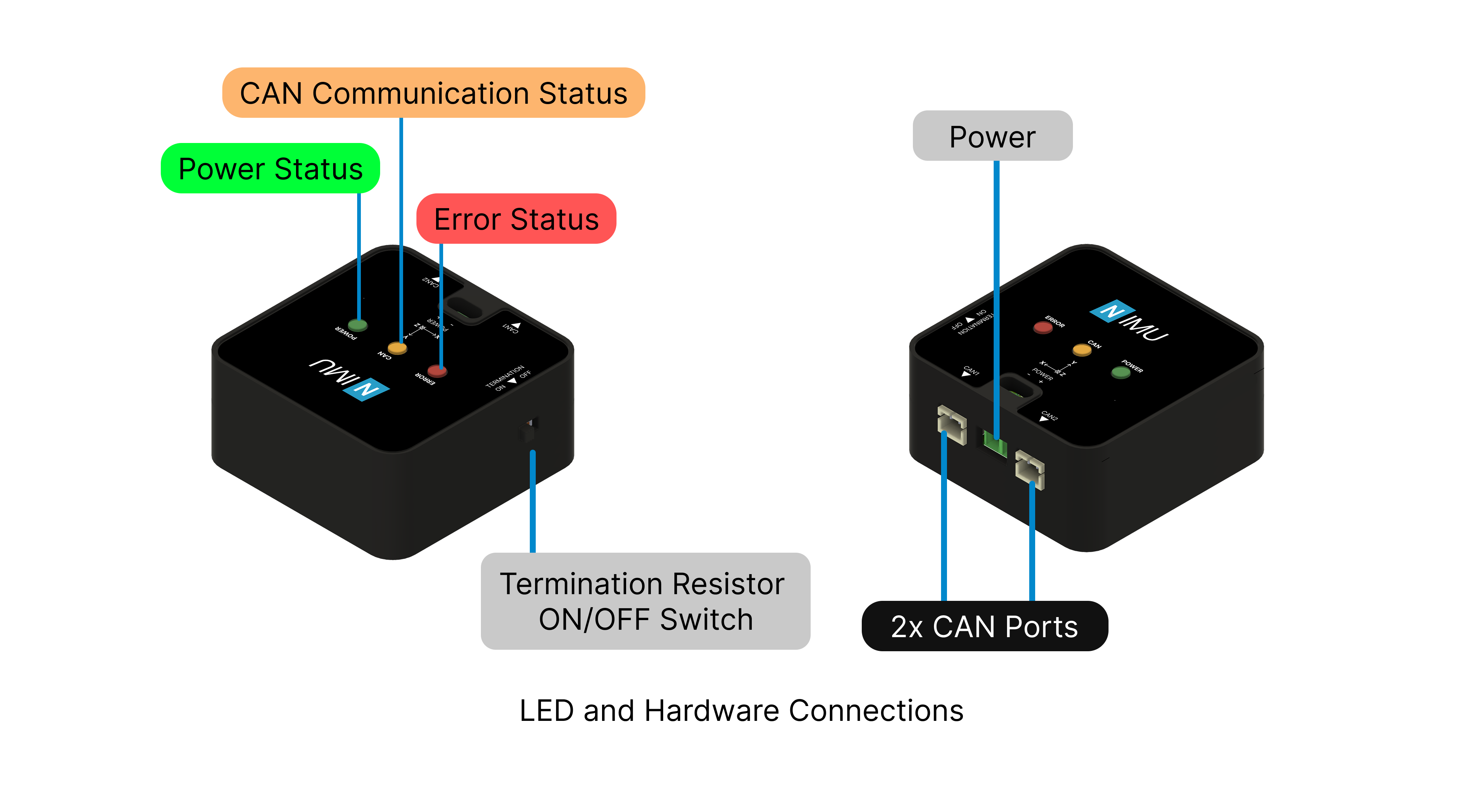
LED Status Indications
The NIMU device incorporates three LEDs to indicate various operational states:
- Power LED: Turns ON when the board is powered ON.
- CAN Communication LED: Flashes to signify ongoing CAN bus communication (both incoming and outgoing data).
- Error LED: Turns ON when an error is encountered, and turns OFF when the errors are cleared
Power Interface
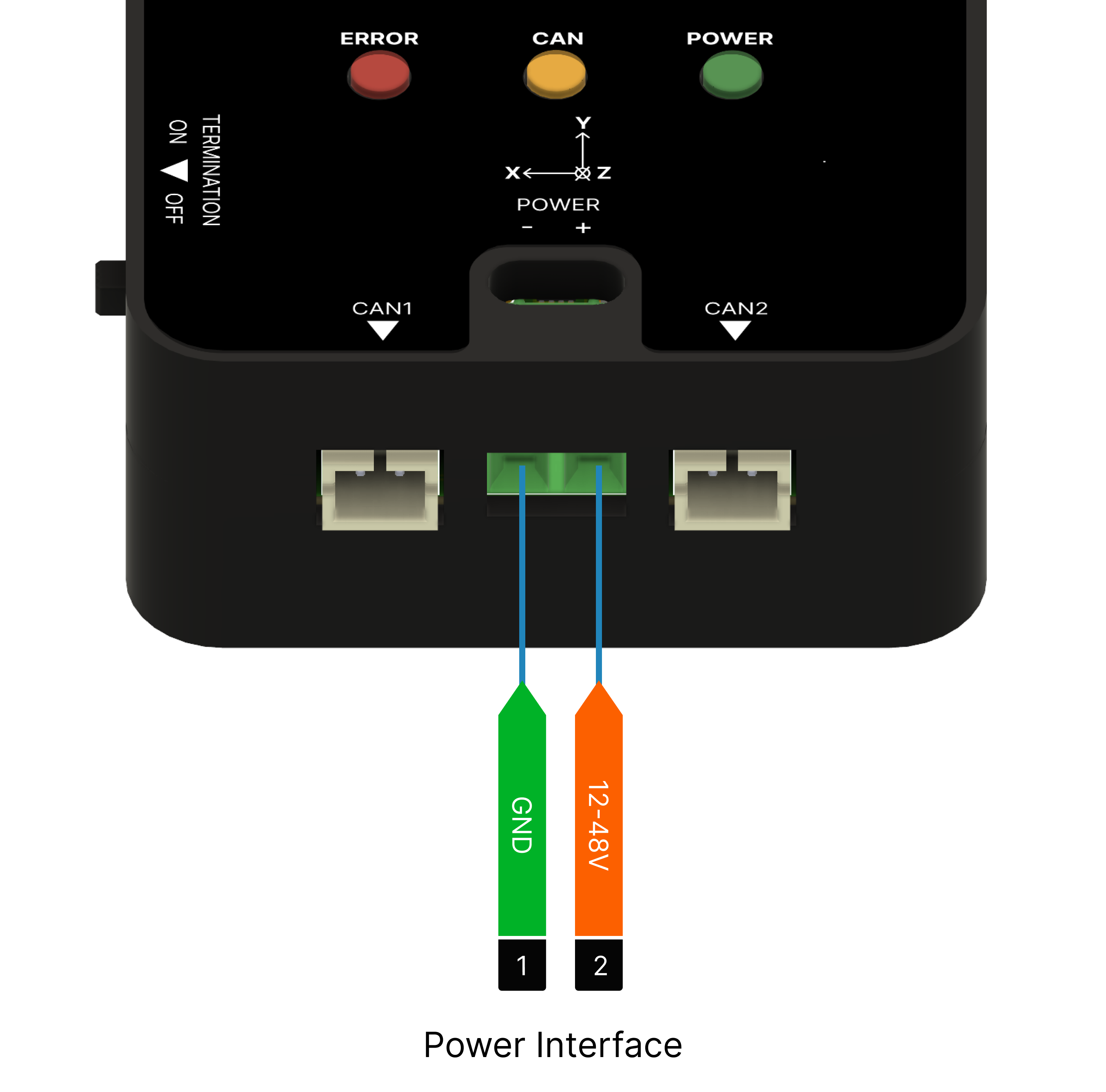
The board supports a wide input voltage range of 12–48 V and uses terminal blocks for power connection.
danger
- DC power input pins can't tolerate reverse polarity, please verify all power connections before energizing the NIMU device.
- DC power supply line can't tolerate voltages above 56 V.
- Never hot plug NIMU device, make sure that the power connections are connected before turning on the power.
CAN Bus Interface
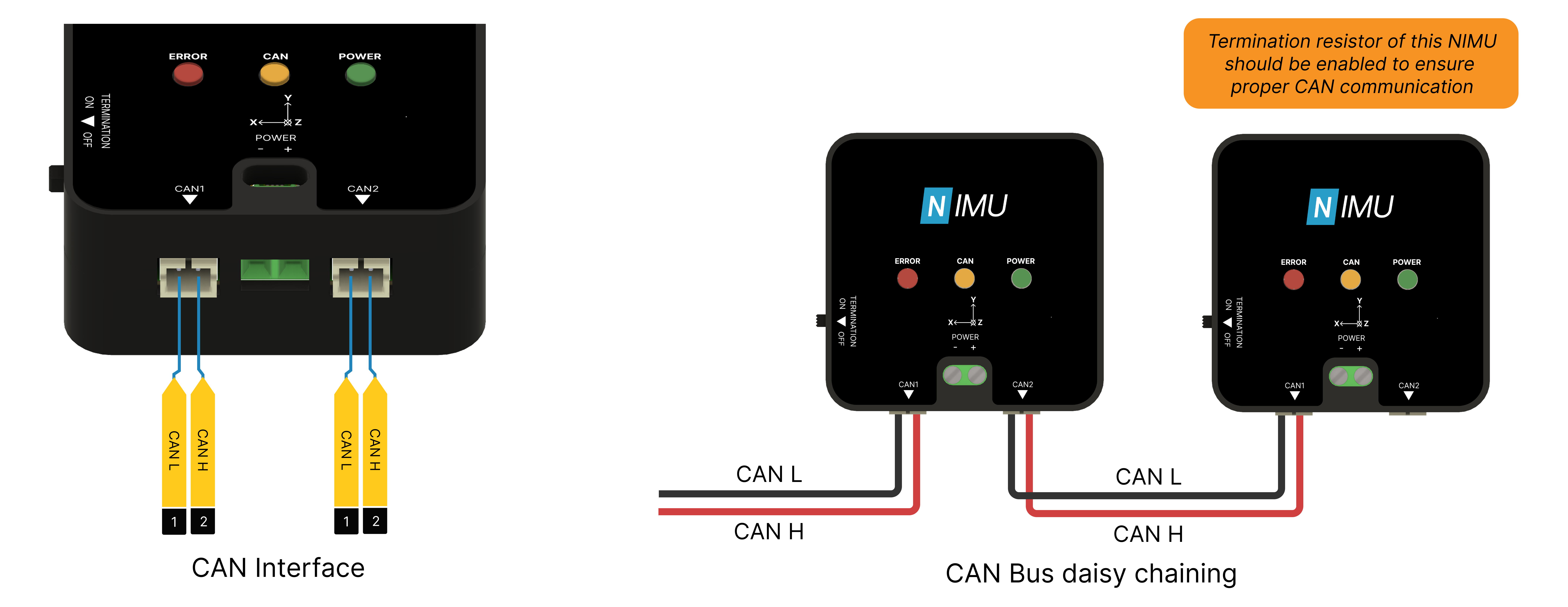
The board features a daisy chainable CAN bus interface with two CAN ports. One port is designated for incoming CAN bus connections from the main device, while the other port is intended for connecting to the subsequent device in the bus chain.
A 2-pin JST PH connector with a 2mm pitch is suitable for both CAN ports.
warning
If NIMU is the last component in the CAN bus chain, ensure that the termination resistor is in ON position to enable the termination resistor. Failure to do so may result in communication errors.
Drawing
All dimensions are in mm

 NMotionTM is a sub-brand of Nawe Robotics